
Site Records is a feature that lets workers keep records, such as photos and text, when installing equipment or when a problem occurs.
In a chat-like format, each member can post messages with photos such as "I installed it this way," or, when an offline status is reported the day after work and the site is revisited, leave a PDF or photo recording such as "the power was turned off along this route." In this way, you can investigate events that occurred on site.
Creating a site record (thread)
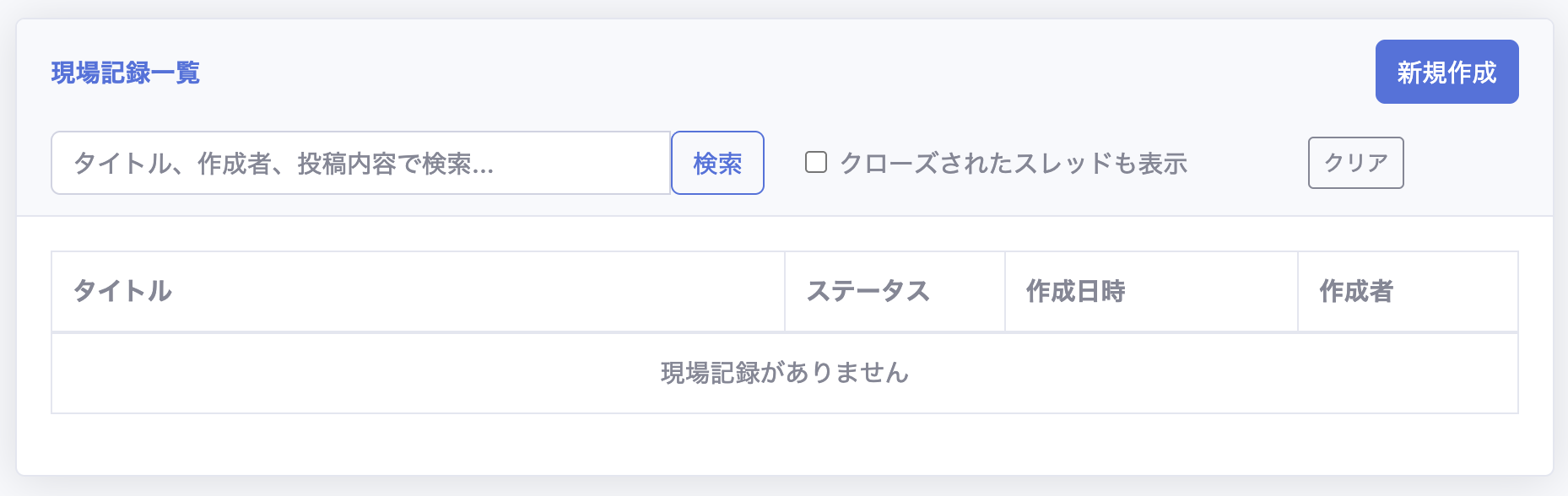
From Investigation > Site Records in the sidebar, you can create a new record with New.
As if opening a chat channel, you create a topic, post text and files about it, and once finished, close the record (thread).
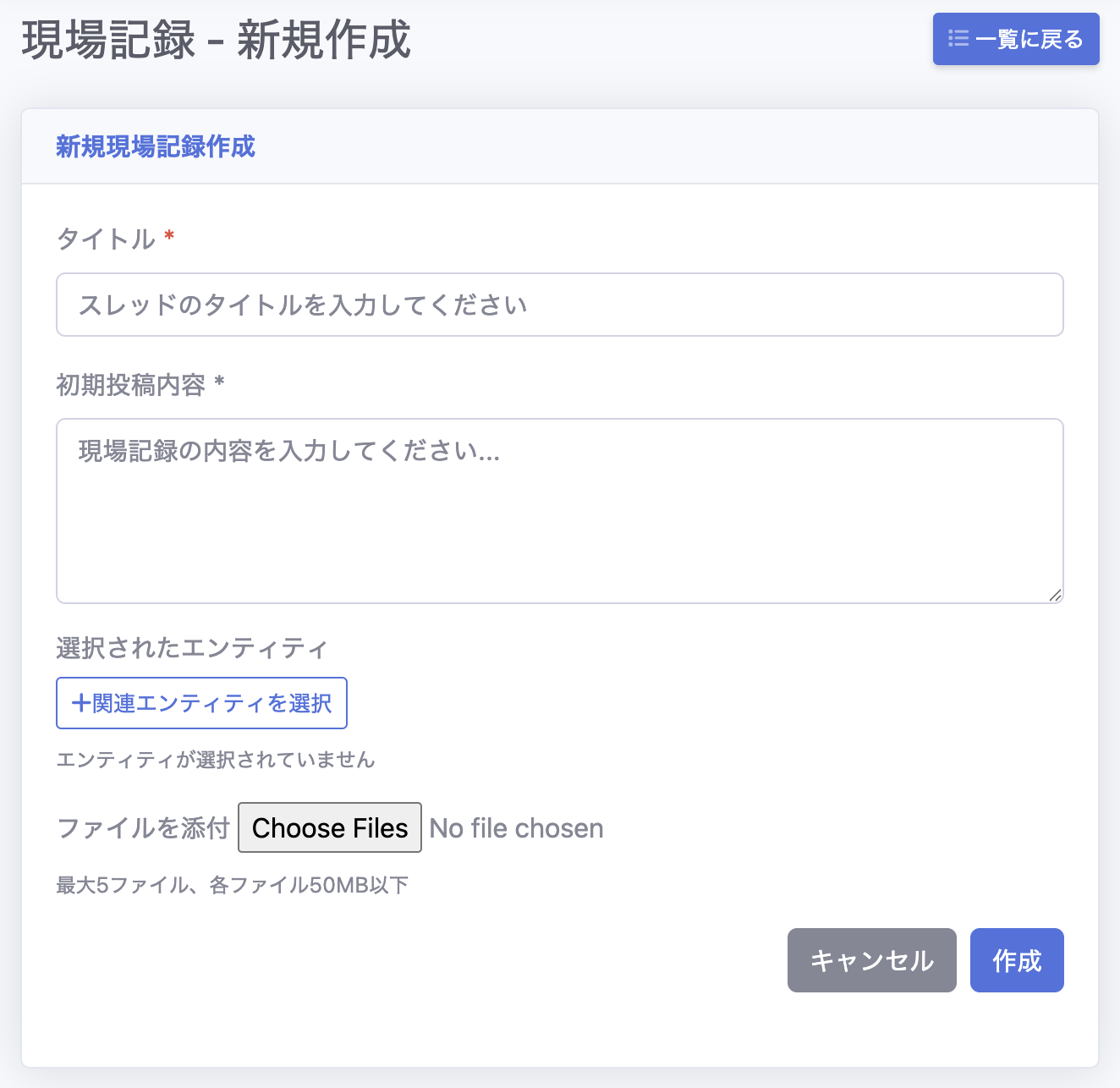
A record can be started with a title and a first post.
When creating one, you can specify an entity. An entity is something related to the record.
You can choose from the following.
- Device - Used for installing or repairing a specific obniz device or sensor
- Issue - An issue that occurred. Used for recording discovered errors, water leak anomalies on site, and the like
- Operation History - A history of operations that occurred. Like issues, used for recording tracking information
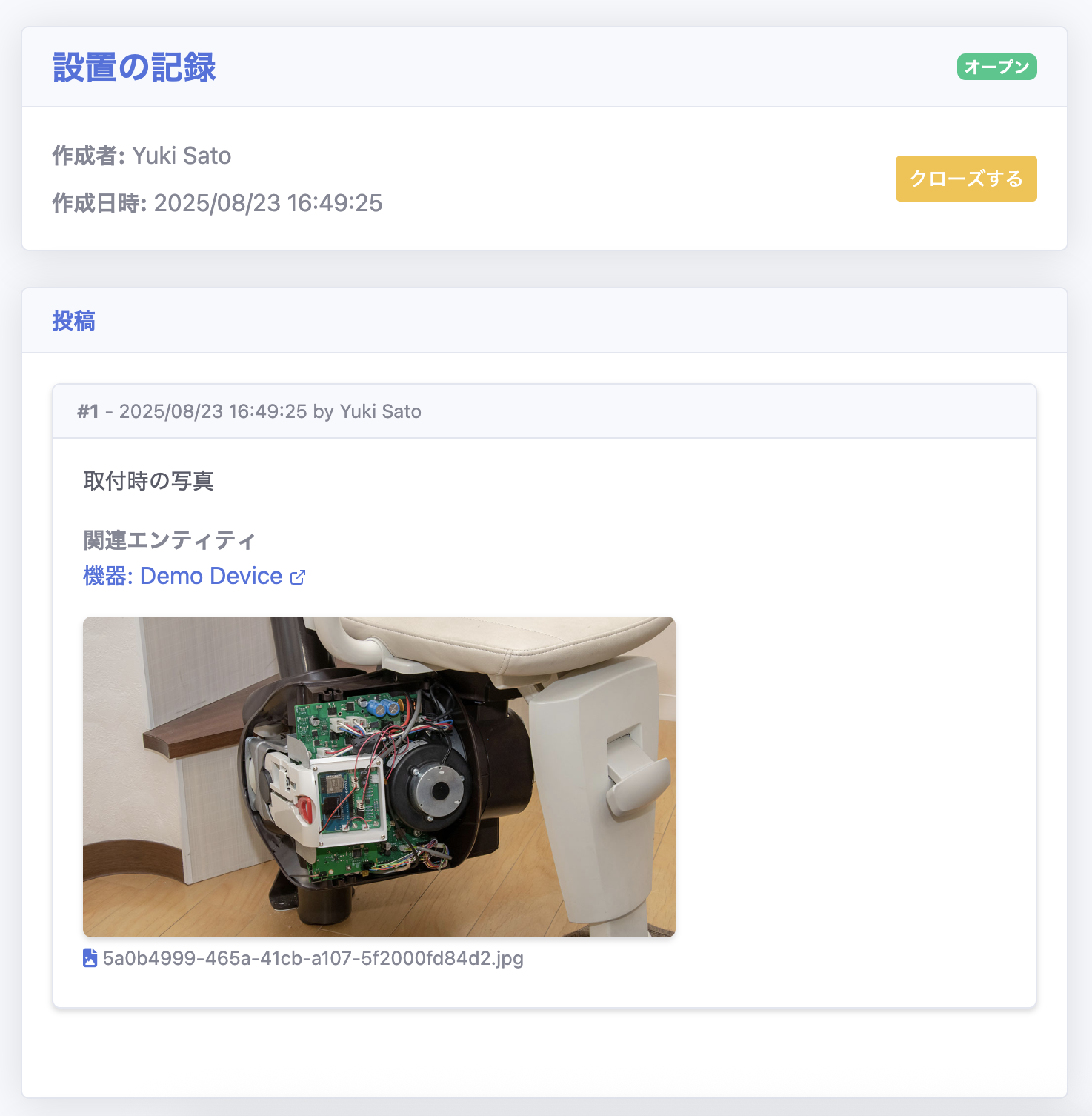
Once a thread is started, you or other members can post to it until it is closed.
In a thread, you can carry out problem solving related to the site or equipment, for example by:
- Posting multiple photos taken during installation
- Posting CSV data from when an error occurred
Requirements for API retrieval
Site records are also available through /api/1/threads. Reading records requires API authentication and a plan that includes site records. When using an API key, grant it Read permission for threads. User authentication applies the user's permissions and group access restrictions. Use reports and CSV to export measurements.
Retrieve a list of threads through the API
GET /api/1/threads?is_open=true&limit=20&offset=0
Authorization: Bearer <Account API Token>
This request retrieves up to 20 open threads, ordered by creation time with the newest first. limit accepts 1–100 and defaults to 100. offset is the number of items to skip and defaults to 0. Omit is_open to include both open and closed threads. Use search for a search term and group_id to specify a group.
A successful request returns HTTP 200 and JSON such as the following. IDs, names, and timestamps are illustrative.
{
  "limit": 20,
  "offset": 0,
  "count": 1,
  "items": [
    {
      "id": "thread-example",
      "title": "Refrigerator A inspection",
      "is_open": true,
      "account_id": "account-example",
      "group_id": "group-example",
      "created_by": { "type": "user", "id": "user-example" },
      "creator_name": "Inspector",
      "created_at": "2026-10-13T01:00:00.000Z",
      "updated_at": "2026-10-13T01:00:00.000Z",
      "closed_at": null,
      "closed_by": null
    }
  ]
}
count is the total number of matching threads; items is the array of threads retrieved for this page. Add limit to offset to retrieve the next page. The page is the last one when offset + items.length >= count. Post content is not included in this list.
Retrieve thread details and posts
| Content | Request | Response type | API reference |
|---|---|---|---|
| Thread list | GET /api/1/threads |
ThreadListResponse |
List threads |
| Title and open/closed status of one thread | GET /api/1/threads/{thread_id} |
ThreadDetailResponse |
Get thread |
| Post content, attachment names, and related entity IDs | GET /api/1/threads/{thread_id}/posts |
ThreadPostsResponse |
List posts |
Use an items[].id value from the list as {thread_id}. The detail response wraps the same thread information in { "thread": ... }. The posts endpoint returns posts in ascending post-number order, without pagination.
GET /api/1/threads/thread-example/posts
Authorization: Bearer <Account API Token>
{
  "posts": [
    {
      "thread_id": "thread-example",
      "post_number": 1,
      "content": "Secured the power cable and verified operation.",
      "update_status": null,
      "file_paths": ["inspection-example.jpg"],
      "account_id": "account-example",
      "created_by": { "type": "apikey", "id": "apikey-example" },
      "author_name": "Inspection system",
      "created_at": "2026-10-13T01:05:00.000Z",
      "updated_at": "2026-10-13T01:05:00.000Z"
    }
  ],
  "entities": [
    {
      "thread_id": "thread-example",
      "post_number": 1,
      "entity_number": 1,
      "machine_id": "machine-example",
      "issue_id": null,
      "event_id": null,
      "created_at": "2026-10-13T01:05:00.000Z"
    }
  ]
}
entities links posts to machines, issues, or operation-history events. Match a relation to its post using thread_id and post_number, then identify the related item using machine_id, issue_id, or event_id. Machine names and measurements are not included.
Attachment names in file_paths are not public URLs. Retrieve the file using the same authentication at GET /api/1/threads/{thread_id}/files/{fileName}. URL-encode the file_paths value as a path segment for fileName. This response contains the file's binary content, not JSON. See the file download API reference for parameter and response details.
Handle responses in TypeScript
These example types describe the retrieved JSON. Timestamps are ISO 8601 strings. ? allows a field to be omitted, and | null allows a null value.
type Actor = {
  type: 'user' | 'apikey' | 'system';
  id: string;
};

type Thread = {
  id: string;
  title: string;
  is_open: boolean;
  account_id: string;
  group_id?: string | null;
  created_by: Actor;
  creator_name: string;
  created_at: string;
  updated_at: string;
  closed_at?: string | null;
  closed_by?: Actor | null;
};

type ThreadPost = {
  thread_id: string;
  post_number: number;
  content: string;
  update_status?: string | null;
  file_paths?: string[] | null;
  account_id: string;
  created_by: Actor;
  author_name: string;
  created_at: string;
  updated_at: string;
};

type ThreadEntity = {
  thread_id: string;
  post_number: number;
  entity_number: number;
  machine_id?: string | null;
  issue_id?: string | null;
  event_id?: string | null;
  created_at: string;
};

type ThreadListResponse = {
  limit: number;
  offset: number;
  count: number;
  items: Thread[];
};
type ThreadDetailResponse = { thread: Thread };
type ThreadPostsResponse = { posts: ThreadPost[]; entities: ThreadEntity[] };
created_by and closed_by are actor objects, not user-ID strings. The post example above was created through an API key. Use creator_name and author_name for display, and the combination of type and id to identify the actor. Display names are resolved from current data and may differ from the names at the time of posting. Deleted actors receive labels such as 削除されたユーザー (deleted user) or 削除されたAPIキー (deleted API key).
A missing thread returns 404; a thread outside the caller's access scope returns 403. If retrieval fails, check the ID, permissions, group access, and plan.